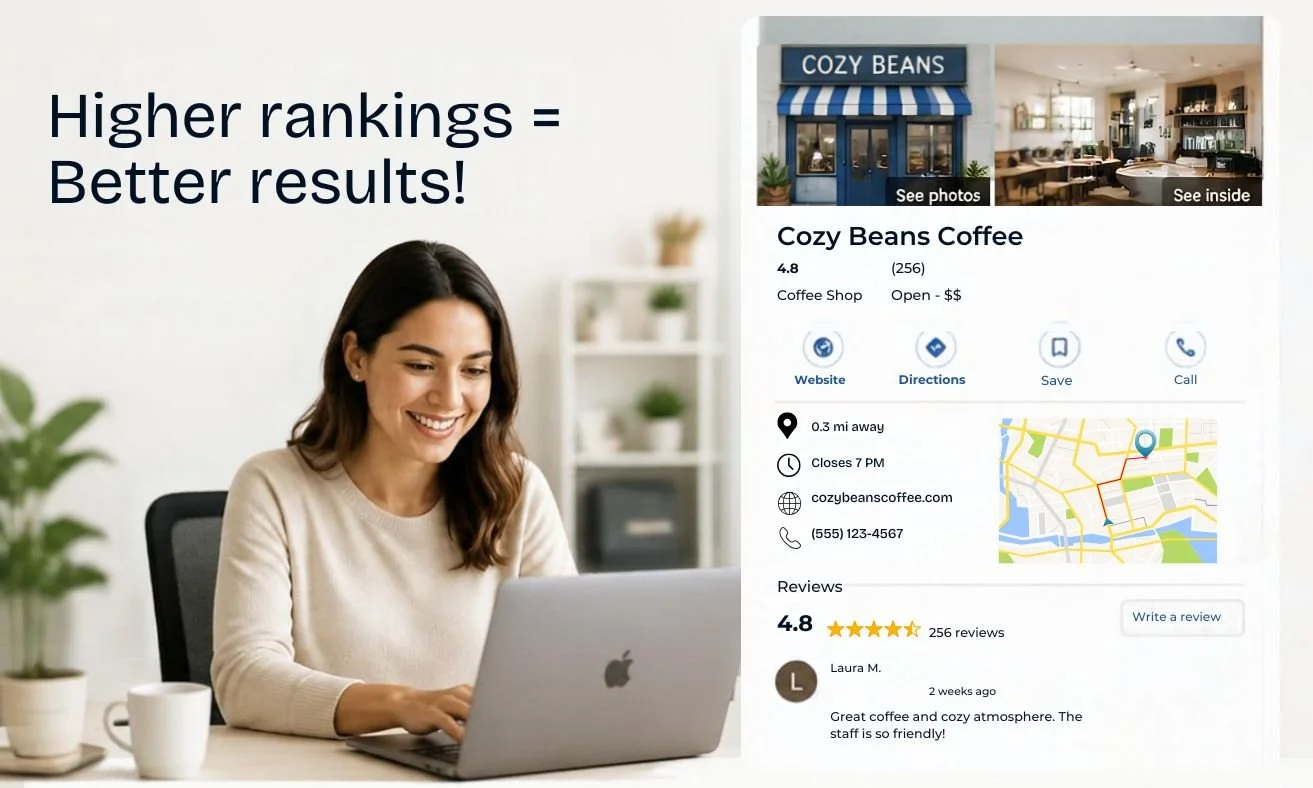
Canva + AI Custom-Generated Graphic
If you've ever Google searched for your business and wondered:
“Why isn’t my business showing up higher?”
This article is for you.
You launched your website, you got a business listing somewhere online, and you still can’t find yourself when customers search for services in your area. That’s a really frustrating situation, especially when competitors with less to offer are showing up above you in local results.
Learning how to make your business show up on Google Search is less complicated than it looks, but it requires doing the right things in the right order. Many small business owners, including a large number on platforms like Squarespace, miss foundational steps that quietly block their visibility.
The encouraging news is that a structured approach fixes most of those gaps faster than you’d expect.
These five steps are organized into clear phases:
Establishing your Google presence
Connecting your website to Google’s tools,
Completing your profile
Optimizing your site
Building the trust signals that actually influence local rankings
Work through these 5 steps in sequence, and you’ll cover the most common reasons businesses don’t show up in search.
Why Your Business Isn't Showing Up on Google Search, and How to Fix It
Before diving into the steps, it helps to understand what’s actually happening when you search for a service “near me” and your business doesn’t appear. Google is simultaneously evaluating your Google Business Profile (formerly Google My Business), your website, your reviews, and dozens of other signals to decide which businesses are most relevant and trustworthy for that query.
A gap in any one of those areas can limit your visibility overall.
The phases below address each of those areas in a logical sequence.
If you want to get your business found on Google Search, the order of the sequence is what matters.
Establish Your Google Presence
Step 1:
Search for your business the way a customer would
Many businesses already have a partial Google listing created automatically from public data, often incomplete or incorrect.
Before you build anything new, search for your business name, phone number, and address variations in both Google Search and Google Maps.
Look for links that say “Own this business?”, old addresses, duplicate entries, and listings under slightly different name spellings.
Duplicates split your credibility signals and can suppress both listings in local results. If you find a duplicate in Maps, open it, select “Suggest an edit,” choose “Close or remove,” and mark it as “Duplicate of another place.”
Step 2:
Claim and verify your Google Business Profile
Sign in to Google, open Google Business Profile (the platform formerly known as Google My Business), search for your business, and either claim an existing listing or create a new one. Google offers four main verification methods in 2026: postcard, phone, email, and video. Postcard takes one to two weeks; phone and email can be completed in minutes to a few days when available.
An unverified profile will not appear in Google Maps or local search results, no matter how complete the information is.
As Google’s own guidance indicates:
Businesses must verify their profile to manage their presence on Search and Maps.
Verification is NOT optional.
It’s the step that activates everything else.
Connect Your Website to Google’s Indexing Tools
Step 3:
Set up Google Search Console
Google Search Console is a free tool that shows whether your website is being indexed, which pages rank, and what errors exist. Without it, you have no way to know if Google can actually see your site. That’s flying completely blind.
To set it up, add a property using either the Domain or URL prefix option, then verify ownership through a DNS TXT record, HTML tag, or Google Analytics connection.
The Domain property type is the most complete option for small business sites because it tracks all versions of your site under one dashboard.
Step 4:
Submit your sitemap and request indexing
A sitemap tells Google which pages exist on your site and how they're organized. In Search Console, go to “Sitemaps,” enter your sitemap URL, and submit it. Many website platforms, including Squarespace, auto-generate sitemaps (/sitemap.xml), but most business owners skip the step of confirming the exact location for their specific builder before submitting.
For key pages like your homepage and service pages, use the URL Inspection tool to request indexing directly. This accelerates how quickly Google processes those pages after your site launches or after you make significant updates.
How to Make Your Business Show Up on Google Search: Complete Your Profile
Step 5:
Choose your primary category with precision
Your primary category is the single most influential field in your entire Google Business Profile. Google uses it to determine which searches your listing is eligible to appear for.
A “Family Law Attorney” category increases eligibility and relevance for niche legal queries compared to a generic “Lawyer” category, though proximity and overall prominence also play a significant role in where you ultimately rank.
Choose the most specific, accurate category available.
Additional categories can cover secondary services, but your primary category must reflect your core business offering.
An inaccurate primary category won’t expand your reach. It will reduce it.
Step 6:
Fill out every profile field completely
Most business owners leave some or all of these fields blank:
business description
services list
service area
holiday hours
photos
attributes
Google’s own documentation links relevance signals directly to the amount of information a profile contains, so every blank field is a lost opportunity.
Profiles with multiple photos and regular updates tend to perform better in local pack results; Google rewards completeness and activity.
Fill out every available field, even the ones that feel optional.
Profile completeness compounds over time as Google builds more confidence in your listing.
Make Your Website a Local SEO Signal Google Can Read
Step 7:
Fix your NAP across every platform
NAP stands for Name, Address, Phone number
Google cross-references this information across your website, your Google Business Profile, and third-party directories like Yelp, Apple Maps, and industry-specific listings.
Inconsistent NAP details create conflicting signals that weaken Google’s confidence in your listing, and that directly reduces your local pack visibility.
Audit your business name, address, and phone number on your website footer, GBP, Yelp, Facebook, and the top five directories in your industry.
Fix every mismatch. Even minor differences like “St.” versus “Street” or a missing suite number are enough for Google to treat two listings as separate, unverified entities.
Step 8:
Optimize your meta descriptions and clean up your site structure
A meta description is the short text that appears under your page title in Google results. It directly affects whether someone clicks through to your site.
Include your business type, city, and a clear value statement, staying under 160 characters. A strong local format leads with service and location, adds a clear benefit, and closes with a call to action.
Site structure matters just as much.
Every service you offer should have its own dedicated page.
Your homepage should clearly state what you do and where you operate.
Internal links should connect related pages so Googlebot can navigate your site logically.
A disorganized site structure reduces the chances of individual pages ranking for the specific terms your customers are searching for.
Build the Trust Signals That Actually Move Local Rankings
Step 9:
Get more reviews and respond to every one of them
Google factors in review quantity, recency, and rating when ranking local results. A business with 40 recent reviews and consistent responses is likely to outperform a competitor with 10 old ones, because reviews are an active prominence signal, not a passive one.
Responding to reviews also improves trust and user perception, which influences whether potential customers choose you.
Build a repeatable system:
Ask for a review immediately after a positive interaction.
Send a direct link to your GBP review form.
Respond promptly, ideally within a few days.
Never offer incentives for reviews.
Never post fake ones.
Never ignore negative feedback.
A thoughtful response to a bad review signals professionalism to both Google and the potential customers reading it.
Step 10:
Add local schema markup to your website
Schema markup is structured data in a format search engines read directly. It tells Google your business name, location, hours, and contact details, no interpretation required. The key schema types for local businesses are LocalBusiness, PostalAddress, and OpeningHoursSpecification.
Schema rarely comes pre-configured on most website platforms. Adding it is one of the fastest ways to reinforce local SEO relevance signals without changing any visible content on your site.
Use a schema generator tool to build the JSON-LD code, add it through your platform’s code injection settings, and test it with Google’s Rich Results Test after publishing.
When your business still won’t show up: a quick troubleshooting guide
Common issues that block local search visibility
If you’ve worked through all 10 steps and your business still isn’t appearing in local or “near me” searches, these are the most common causes worth checking:
Suspended or restricted GBP: Check your dashboard for suspension notices. Resolve any policy violations before requesting reinstatement.
Category mismatch: If your primary category is too broad or slightly off, Google won't surface you for the right searches. Revisit Step 5.
Distance from the searcher: Google weights proximity heavily. Confirm your business address or service area is correctly configured in your profile.
Low profile activity: No recent photos, no posts, no new reviews. Google treats active profiles as more credible than dormant ones.
After any major profile update, give Google up to five business days to reflect the changes fully before drawing conclusions about whether your fixes worked.
Why some websites have hidden SEO problems you can’t see from the front end
Many business owners complete every step on this list and still struggle to rank because the website itself has technical issues that prevent Google from reading it properly: missing meta tags, broken internal links, oversized images, or pages accidentally blocked from indexing.
None of these problems are visible when you preview your site in a browser.
Site builders of all kinds can leave SEO fields empty or carry over incorrect settings from template defaults; missing page descriptions, inaccurate SEO titles, and uncompressed images are all common culprits regardless of platform.
Your site looks fine on the surface, but Google is reading something entirely unique underneath.
A professional site audit surfaces exactly these kinds of blockers. The flat-fee diagnostic offered by Wallis Williams Design is designed to identify these hidden technical difficulties quickly, often uncovering problems the business owner had no idea existed.
If you’ve worked through all 10 steps and your rankings still haven’t moved, the problem likely sits on the website side, though GBP gaps, proximity factors, and citation inconsistencies are always worth ruling out first.
You now have everything you need to get started.
Establish your presence, connect your tools, complete your profile, optimize your website for local SEO, and build the trust signals Google can measure.
None of it requires a large budget or deep technical knowledge.
Many businesses begin to see meaningful improvements in weeks to a few months after completing all 10 steps consistently, though timelines vary based on verification speed, proximity to searchers, and how competitive your local market is.
Every step you complete removes a barrier between your business and the customers searching for you right now
Bookmark this page and begin with Step 1 today
Revisit it monthly as your profile and website grow
Treat it as a living checklist rather than a one-time task